When I started learning about blogging, I thought writing a good article was enough to bring visitors from Google. Later, I realized that writing is only one part of blogging. If I want my WordPress blog posts to reach more people, I also need to make them easy for search engines to understand and easy for readers to enjoy.
This is where SEO becomes important. SEO means Search Engine Optimization. In simple words, it is the process of creating and improving content so search engines can understand it and people can find it when they search for something online.
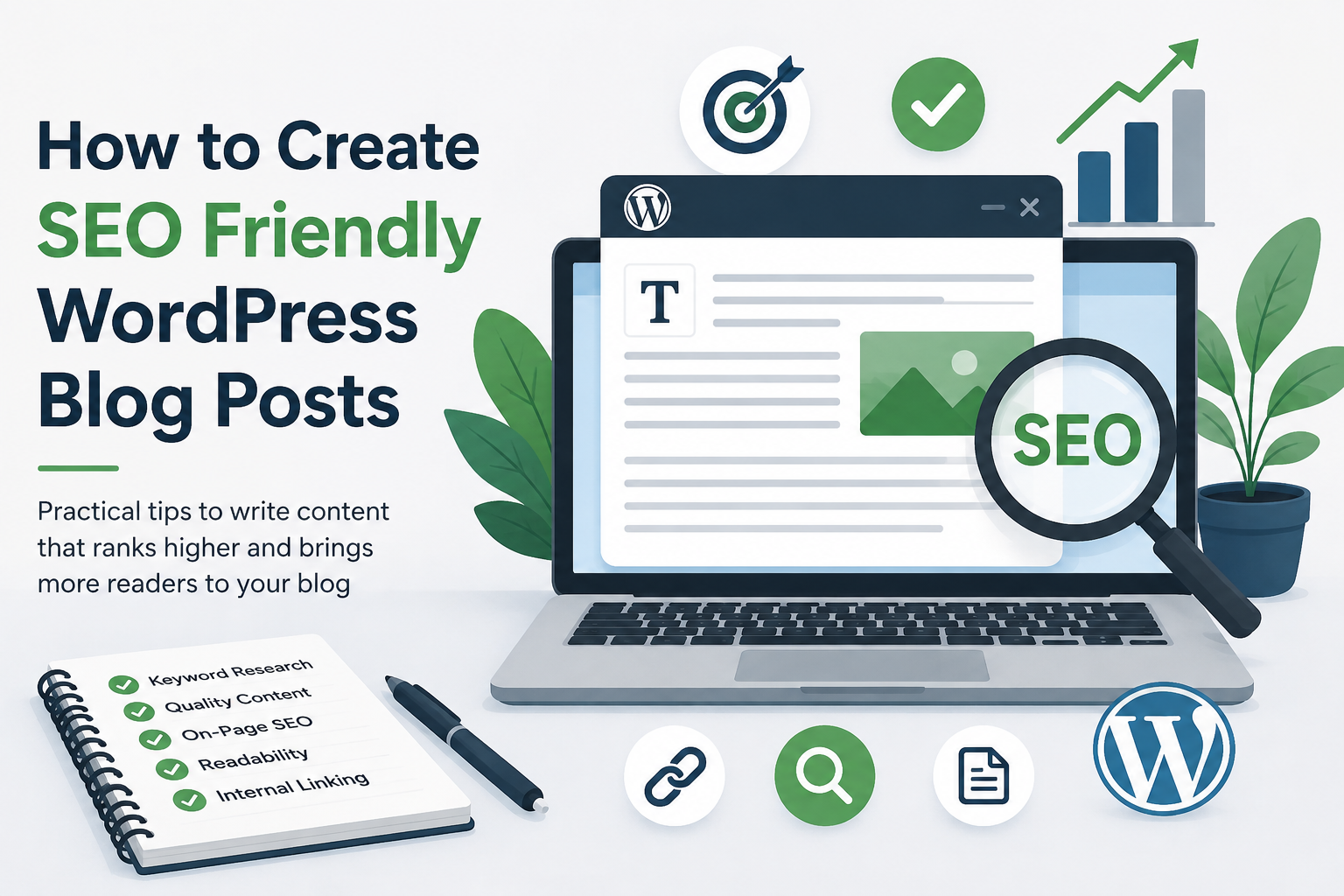
In my experience, SEO does not mean filling an article with keywords everywhere. A good SEO friendly blog post should answer the reader’s question, provide useful information, load properly, and have a clear structure. In this article, I will explain how I create SEO friendly WordPress blog posts and what I think every beginner should know.
Start With Proper Keyword Research
Before writing an article, I first think about what people are actually searching for. This is one of the most important parts of SEO because even a very well written article can struggle if nobody is searching for the topic.
I usually start with a main keyword that clearly describes the subject of my article. For example, if I am writing about WordPress SEO, my main keyword could be “SEO friendly WordPress blog posts.”
I also look for related phrases that people may use when searching for the same information. These related terms help me understand what readers expect from the article.
The important thing is not to choose a keyword simply because it has a high search volume. I believe the keyword should match the purpose of the article. If the keyword and the content do not match, visitors may leave quickly because they did not find what they expected.
Choose a Clear and Useful Title
The title is one of the first things both readers and search engines see. I always try to make my title simple, direct, and useful.
A good title should tell readers exactly what they will learn. Instead of using a vague title like “Improve Your Website,” I would use something more specific such as “How to Create SEO Friendly WordPress Blog Posts.”
I also try to include the main keyword naturally in the title. However, I do not make the title sound unnatural just to include a keyword.
A good title should make someone think, “This is exactly what I was looking for.”
Write for People First
One mistake I see beginners make is writing for search engines instead of people. In my opinion, this makes an article difficult to read.
When I write a blog post, I imagine that I am explaining the topic to another person. I use simple language, natural sentences, and examples whenever possible.
Search engines have become much better at understanding content and user intent. Because of this, I do not believe there is any reason to repeat the same keyword again and again.
The main goal should be to solve the reader’s problem. If the content is genuinely useful, it has a much better chance of attracting readers and earning links naturally.
Use Headings to Organize Your Article
Long paragraphs can make an article difficult to read. This is why I always divide my WordPress posts into different sections.
I normally use one main heading for the article title and then use subheadings for important sections. These headings help readers quickly scan the page and find the information they need.
For example, an article about WordPress SEO could have sections such as keyword research, title optimization, images, internal links, readability, and technical SEO.
I try to make each heading meaningful. A reader should be able to understand what a section is about simply by looking at its heading.
Create Helpful and Original Content
SEO is not just about keywords. The quality of the content matters a lot.
When I write a blog post, I try to provide information that actually helps the reader. I avoid copying ideas word for word from other websites. Instead, I explain the topic in my own way and add my own examples and experiences.
Original content does not necessarily mean discussing a topic nobody has ever discussed before. It can also mean explaining a common topic from your own perspective or providing information in a clearer and more useful way.
I think this is especially important for new websites. A small blog may not compete with huge websites immediately, but useful and focused content can help build trust over time.
Keep Your Paragraphs Short
I personally prefer short paragraphs because they make online articles easier to read.
Many people read blogs on mobile phones, so large blocks of text can feel tiring. I usually keep paragraphs relatively short and give each idea its own space.
This also makes the article easier to scan. Someone who is in a hurry can quickly look through the headings and paragraphs to find the information they need.
Good formatting may seem like a small detail, but I believe it can make a big difference to the overall reading experience.
Use Keywords Naturally
After choosing the main keyword, I place it in important areas where it makes sense. This can include the title, introduction, some headings, and the body of the article.
I do not try to use the exact keyword in every paragraph.
I also use related words and phrases naturally throughout the article. This helps the article cover the topic more completely.
For example, if my main topic is WordPress SEO, I may naturally discuss search engines, blog optimization, keywords, meta descriptions, internal links, images, website speed, and mobile usability.
The article should sound like normal human writing rather than a collection of keywords.
Write a Strong Introduction
The introduction is very important because it gives readers a reason to continue reading.
I usually explain the problem or topic in the first few paragraphs and then tell the reader what they can expect from the article.
I avoid making the introduction unnecessarily long. If someone searches for an answer, they usually want to understand the topic quickly.
A strong introduction should feel natural and should immediately connect with the reader’s question.
Optimize the URL
WordPress makes it easy to create a clean URL for a blog post. I prefer short URLs that clearly describe the topic.
For example, a URL based on “how to create SEO friendly WordPress blog posts” could simply contain the main topic in a short and readable format.
I avoid unnecessary numbers, symbols, and complicated words when creating URLs.
A clean URL is easier for people to understand and easier to share.
Add a Useful Meta Description
A meta description is the short description that can appear below a page title in search results.
Although it is not something I use to force rankings, I still consider it useful because it can help people understand what the page is about.
I write a short description that explains the benefit of reading the article. I also try to include the main topic naturally without making the description look stuffed with keywords.
The description should encourage the right person to click because it accurately represents the content.
Optimize Your Images
Images can make a blog post much more interesting, but they can also affect website performance if they are too large.
Before uploading an image to WordPress, I try to use an appropriate file size and format. I also give images descriptive file names instead of leaving them with random camera generated names.
Alt text is another important part of image optimization. I use alt text to describe the image accurately, especially when the image provides useful information.
I never add unrelated keywords to an image simply for SEO.
Add Internal Links
Internal linking is one of my favorite simple SEO techniques.
An internal link connects one page of my website to another relevant page. For example, if I write an article about WordPress SEO and already have another article about keyword research, I can naturally link to that article.
This helps readers discover more useful information. It can also help search engines understand the relationship between different pages on a website.
The key is relevance. I only add internal links when they genuinely help the reader.
Use External Links When Appropriate
Sometimes I also link to trustworthy external websites when they provide useful information or support a statement.
I do not believe every article needs dozens of external links. I simply use them when they add value.
If I mention an official tool, documentation page, research source, or useful resource, linking to the original source can make the article more helpful and trustworthy.
Make Your Post Mobile Friendly
A large percentage of internet users browse websites from smartphones. Because of this, I always think about mobile users when creating WordPress content.
The website should be easy to read on a smaller screen. Text should not be too small, images should fit properly, and visitors should not have to zoom in just to read the article.
A responsive WordPress theme can help with this, but I still recommend checking the actual published page on a phone.
Improve Website Speed
Nobody likes waiting for a website to load.
A slow website can create a poor user experience, especially for visitors using mobile connections. I try to keep my WordPress website lightweight by avoiding unnecessary plugins, optimizing images, and choosing reliable hosting.
I also check how the website performs instead of assuming everything is fine.
Speed is not something I would focus on at the expense of useful content, but it is an important part of creating a good website.
Use Categories and Tags Carefully
WordPress gives us categories and tags to organize content. I use categories to create broad groups for my articles.
For example, a technology blog might have categories such as WordPress, Cybersecurity, SEO, and Blogging.
I avoid creating dozens of unnecessary categories and tags because this can make the website structure confusing.
A simple structure is usually easier for both visitors and search engines to understand.
Review Your Article Before Publishing
Before publishing a post, I like to read the complete article one more time.
I check the title, headings, spelling, links, images, formatting, and overall flow. I also ask myself whether the article actually answers the question it promises to answer.
Sometimes I find sentences that sound awkward or sections that repeat the same idea. Fixing these problems before publishing can make the article much better.
I also preview the post on desktop and mobile whenever possible.
Keep Updating Old Posts
SEO does not finish when I press the publish button.
Some articles become outdated as information changes. I believe it is useful to review older posts and update them when necessary.
I may add new information, remove outdated details, improve headings, update links, or add better examples.
This can also be a good way to improve an existing website without constantly creating completely new content.
Final Thoughts
Creating SEO friendly WordPress blog posts is not as complicated as it may seem. For me, the most important thing is to start with the reader and then use SEO techniques to make the content easier to discover and understand.
I focus on choosing a relevant topic, researching keywords, creating a clear title, writing useful original content, using proper headings, optimizing images, adding relevant internal links, and making sure the website works well on mobile devices.
I also try not to become obsessed with keyword density or complicated SEO tricks. A blog should be created for real people. If readers can find useful answers, understand the content easily, and enjoy using the website, I believe the foundation for good SEO is already there.
SEO usually takes time. A new WordPress website may not receive large amounts of traffic immediately, and that is completely normal. My approach is to keep publishing helpful content, improve older articles, learn from the results, and stay consistent.
In the long run, I believe useful content combined with a clean website structure and a good user experience is a much better strategy than trying to find shortcuts.
That is how I would approach creating SEO friendly WordPress blog posts today. Keep the content natural, focus on helping readers, and use SEO as a way to make good content easier to discover.