When I started learning about WordPress SEO, I thought getting more traffic was mainly about writing good articles and adding a few keywords. Later, I realized that SEO is much bigger than that. A website can have useful content and still struggle in search results because of small technical and content related mistakes.
In my experience, many WordPress websites lose potential traffic because of simple SEO problems that can be fixed without being an expert. Things like poor page titles, slow loading speed, broken links, missing image descriptions, weak content structure, and incorrect indexing settings can all affect how a website performs in search engines.
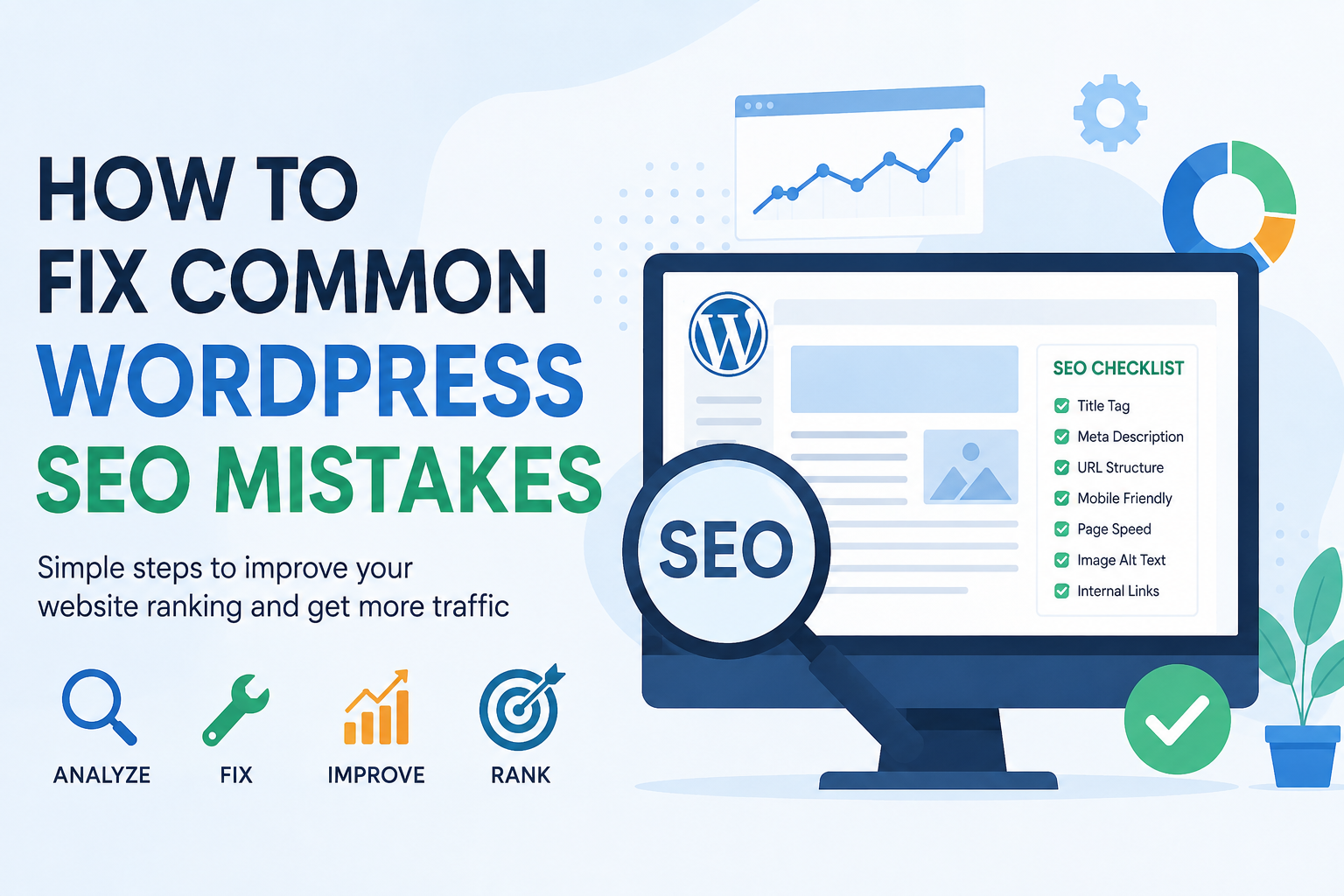
The good thing is that most of these problems are not difficult to solve. In this article, I will explain the most common WordPress SEO mistakes and the practical steps I would take to fix them.
1. Using Poor Page Titles
One of the first things I check on a WordPress website is the page title. The title tells search engines and visitors what the page is about. If the title is too short, too vague, or unrelated to the actual content, it can make it harder for the page to attract the right visitors.
For example, a title like “My Website” does not tell Google much about the page. A better title would clearly explain the topic, such as “How to Improve WordPress Website Speed for SEO.”
I always try to create titles that are natural, descriptive, and relevant to the main topic. I also avoid filling the title with unnecessary keywords because it can make the title look unnatural.
2. Ignoring Meta Descriptions
A meta description does not directly guarantee higher rankings, but it can influence whether someone decides to click on your page in search results.
A common mistake is leaving the meta description empty or allowing random text from the page to appear there. I prefer writing a short description that explains what readers will learn from the article.
For example, if I write an article about WordPress SEO, the description should quickly explain the main benefit of reading it. It should sound like something written for a real person rather than a collection of keywords.
3. Choosing the Wrong Keywords
Another common mistake is targeting keywords without understanding what people actually want when they search.
I have found that keyword research becomes much easier when I first think about the question a visitor is trying to answer. If someone searches for “how to speed up WordPress,” they probably want practical instructions rather than a general definition of website speed.
I try to choose keywords that match the purpose of the content. I also use related terms naturally throughout the article instead of repeating the same keyword again and again.
4. Keyword Stuffing
Keyword stuffing is one of the SEO mistakes I would always avoid. Some website owners believe that using a keyword many times will automatically improve rankings. In reality, excessive repetition can make content difficult to read and can create a poor experience for visitors.
I focus on writing naturally first. If the main keyword fits into a sentence, I use it. If it does not fit naturally, I do not force it.
Search engines are much better at understanding topics than they were in the past. Good content should explain the subject clearly instead of repeating one phrase unnecessarily.
5. Publishing Thin Content
Thin content is another problem I often notice on websites. A page may contain only a few sentences and provide very little useful information.
I believe every article should have a clear purpose. Before publishing, I ask myself whether the article actually answers the visitor’s question. If important information is missing, I add useful explanations, examples, steps, or tips.
This does not mean every article needs to be extremely long. A short article can still be valuable if it completely satisfies the searcher’s need.
6. Ignoring Website Speed
Website speed is important for both visitors and SEO. If a WordPress website takes too long to load, visitors may leave before reading the content.
I usually start by checking the website speed and identifying what is making the pages slow. Large images, unnecessary plugins, poor hosting, excessive scripts, and badly optimized themes can all contribute to slow performance.
I recommend compressing images, removing plugins that are not needed, using caching, choosing reliable hosting, and keeping the WordPress installation clean.
A faster website creates a better experience and can also make it easier for search engines to crawl the site.
7. Forgetting Mobile Optimization
Most people browse the internet using smartphones, so I never consider mobile optimization optional.
A website may look perfect on a desktop computer but become difficult to use on a small screen. Text may be too small, buttons may be difficult to press, and images may extend beyond the screen.
I always check my WordPress website on different screen sizes. The content should be easy to read, navigation should be simple, and important buttons should be easy to use.
A responsive WordPress theme can help solve many of these problems.
8. Missing Image Alt Text
Images can improve an article, but they also need to be optimized properly. One mistake I often see is uploading images without useful alternative text.
Alt text helps describe an image to search engines and can also help people who use screen readers.
Instead of using something meaningless like “image123,” I prefer writing a short and accurate description of what the image shows. I do not add keywords unless they genuinely describe the image.
9. Creating Complicated URLs
WordPress can sometimes create URLs that are longer and less useful than necessary. I prefer simple URLs that clearly describe the page.
For example, a URL containing random numbers and unnecessary words is harder to understand. A cleaner URL based on the main topic is easier for both visitors and search engines.
I also try to decide the URL before publishing an article because changing URLs later can create unnecessary problems.
10. Ignoring Internal Links
Internal linking is one of the easiest SEO techniques that many website owners overlook.
When I publish a new article, I look for older articles that are related to the same topic. I then connect them using relevant anchor text.
For example, an article about WordPress speed can link to another article about image optimization or WordPress security. This helps visitors discover more content and helps search engines understand the relationship between different pages.
I avoid adding internal links randomly. Every link should have a useful reason.
11. Having Broken Links
Broken links can create a frustrating experience for visitors. They can also make a website look poorly maintained.
As a website grows, old pages may be deleted or URLs may change. This can leave links pointing to pages that no longer exist.
I recommend checking your website regularly for broken links. When I find one, I either update it with a working page, remove it, or redirect the old URL when appropriate.
Keeping links healthy is a simple part of maintaining a professional website.
12. Using Too Many WordPress Plugins
Plugins are one of the best things about WordPress, but installing too many can create SEO and performance problems.
I have seen websites with plugins that perform similar tasks or plugins that are no longer being used. Unnecessary plugins can increase page loading time and sometimes create conflicts.
My approach is simple. I only keep plugins that provide a real benefit. I also remove plugins that I no longer need instead of leaving them inactive.
A clean WordPress installation is usually easier to manage and maintain.
13. Blocking Search Engines by Mistake
One WordPress setting can cause a major SEO problem if it is configured incorrectly. WordPress includes an option that discourages search engines from indexing the website.
This can be useful while building a private or unfinished website, but it can become a serious problem if the setting remains enabled after launch.
Before worrying about advanced SEO techniques, I always make sure the website is actually available for search engines to crawl and index.
14. Not Creating an XML Sitemap
An XML sitemap helps search engines discover important pages on a website. Modern SEO plugins often create and update sitemaps automatically.
I recommend checking whether the sitemap exists and whether it contains the pages I actually want search engines to discover.
After creating a sitemap, I can submit it through a search engine webmaster platform. This gives search engines another way to understand the structure of the website.
15. Forgetting About HTTPS
Using HTTPS is essential for a modern website. It protects information transferred between the visitor and the website and gives users more confidence.
I always make sure my WordPress website uses HTTPS correctly and that the secure version is configured consistently.
If both HTTP and HTTPS versions appear to work separately, proper redirects and canonical settings should be configured so search engines understand which version should be preferred.
16. Not Updating Old Content
SEO is not something I consider finished after publishing an article. Information can become outdated, links can stop working, and search intent can change.
I regularly look at older articles and ask whether they still provide useful information. If necessary, I update statistics, improve explanations, add new sections, replace outdated links, and improve the overall structure.
Sometimes updating an existing article can be more useful than constantly publishing new content.
17. Ignoring Search Intent
One of the biggest SEO lessons I have learned is that ranking is not only about keywords. The content needs to match what the person actually wants.
If someone searches for “best WordPress plugins,” they may expect a comparison or recommendations. If they search for “how to install WordPress,” they probably want a step by step guide.
Before writing an article, I think about the visitor’s goal. Then I create content that directly helps them achieve that goal.
Final Thoughts
Fixing WordPress SEO mistakes does not require changing everything on your website at once. I believe it is better to start with the problems that can make the biggest difference.
I would first check website speed, mobile usability, page titles, indexing settings, content quality, internal links, URLs, images, and broken links. After that, I would continue improving older content and monitoring how the website performs.
SEO takes time, and there is no single trick that can guarantee instant rankings. In my experience, the best approach is to build a website that is fast, useful, easy to navigate, and genuinely helpful to visitors.
If you regularly check your WordPress website and fix small SEO problems as they appear, your site can become stronger over time. The main goal should not simply be to satisfy search engines. The real goal should be to create a website that people enjoy visiting, trust, and want to return to.